RAID Calculator
Calculate storage capacity and redundancy for various RAID levels.
Frequently Asked Questions
What is a RAID calculator?
A RAID calculator helps you determine the usable storage capacity, fault tolerance, and disk requirements for different RAID levels (0, 1, 5, 6, 10) based on your disk configuration.
How do I use the RAID calculator?
Select your RAID level, enter the number of disks, and specify the size of each disk. The tool calculates the total usable capacity, overhead, and how many disks can fail without data loss.
Which RAID level should I choose?
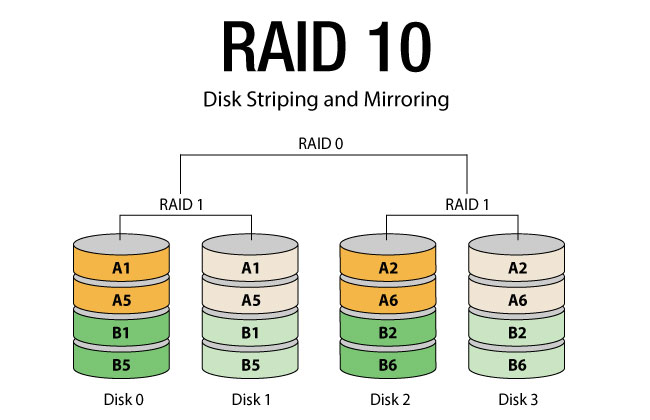
RAID 0 offers maximum capacity and speed but no redundancy. RAID 1 mirrors data for full redundancy. RAID 5 balances capacity with single-disk fault tolerance. RAID 6 adds dual parity. RAID 10 combines mirroring and striping for both performance and redundancy.
How does RAID affect usable storage?
Each RAID level reserves some capacity for parity or mirroring. For example, RAID 1 uses half your disks for mirroring, while RAID 5 uses one disk worth of capacity for parity regardless of disk count.
Is this tool free?
Yes, ToolDock's RAID calculator is completely free, requires no signup, and runs entirely in your browser.